THE ALGORITHM WORKS 24/7 - EVEN WHEN YOU HAVE NO TIME FOR CHARTS
Run NeuroTrader on your exchange and automate spot trading
NeuroTrader buys at set levels and locks in results on local rebounds; the working benchmark is 40–50% per year, not a guarantee.
Connect Binance, Bybit, OKX, Bitget or Hyperliquid.
Hand the trading routine to the algorithm, keep the control for yourself
NeuroTrader doesn't get tired, doesn't trade on emotion and doesn't change the rules mid-trade.
You set the parameters, choose the assets and see the result in the interface.
Model scenarioHow capital could grow trading BTC, ETH, SOL spot automatically
Not a forecast, not a guarantee
BTC · ETH · SOL portfolioJan 2024 — Aug 2026
1 000 USDThypothetical start — 1,000 USDT
+0%
A hypothetical scenario based on historical BTC, ETH, SOL spot market volatility — drawdowns and spikes are set arbitrarily. This is not a forecast, not a guarantee, and not a typical client result.
Your account. Your assets. Your control.
Funds stay right where you put them — on your own exchange account
NeuroTrader connects through an API with read and trading permissions, but without permission to withdraw funds.
You can start with a demo account.
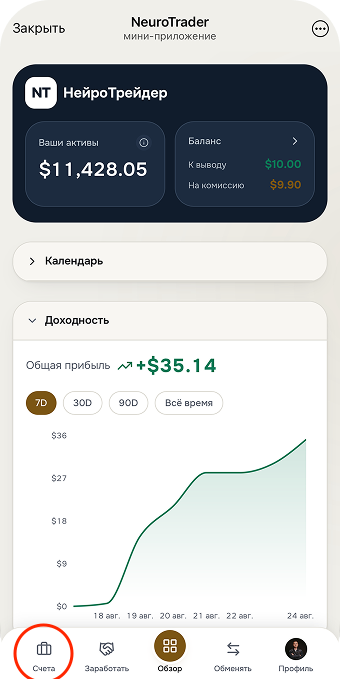
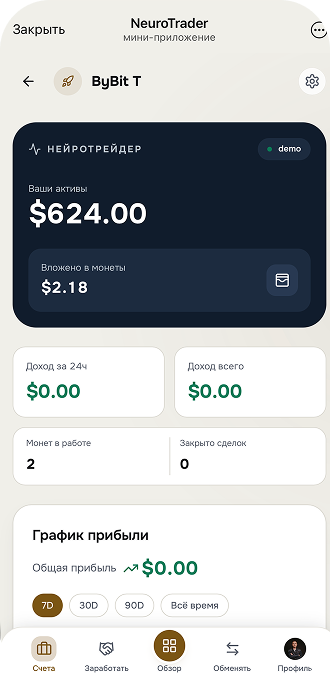
Balance, withdrawable amount and the return chart are visible right on the home screen.
02
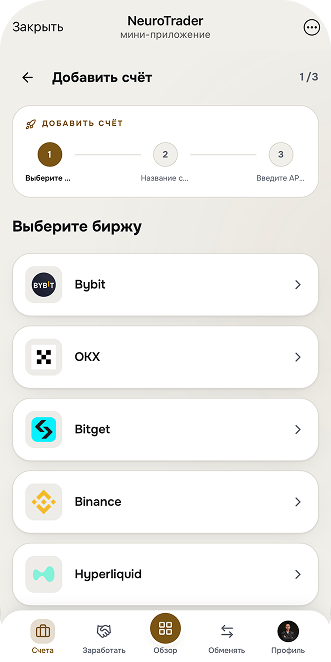
Choose your exchange
Binance, Bybit, OKX, Bitget or Hyperliquid.
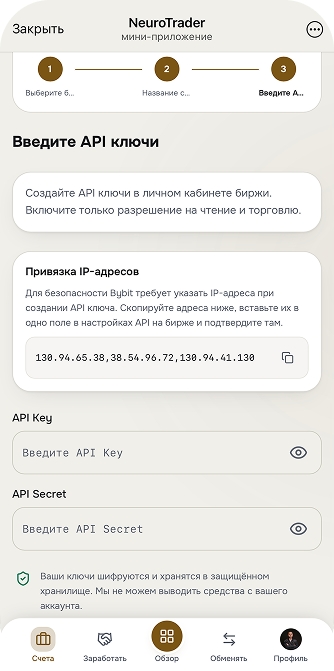
03
Connect an API with no withdrawal right
Or start with a demo account first, without using real capital.
04
Check the plan and launch Grid Pro
You choose the coins and the regular order size.
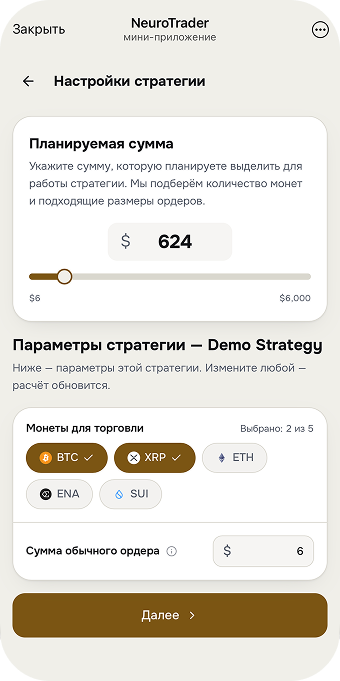
05
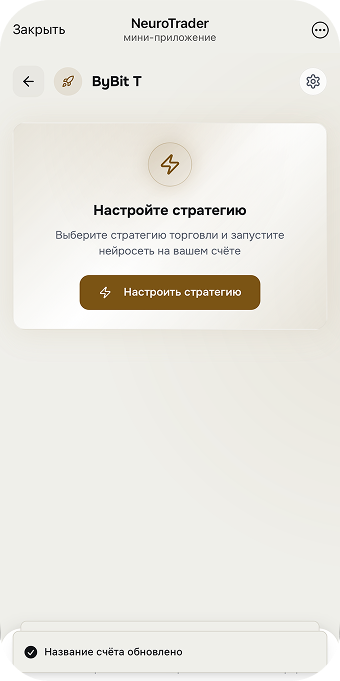
Set up the strategy parameters
Planned amount, coins to trade and regular order size — fit to your capital.
06
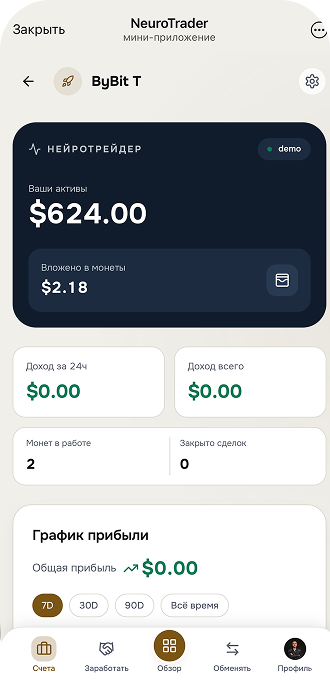
Trading is live — watch the result
Active coins, income and the profit chart are visible right on the account screen.
07
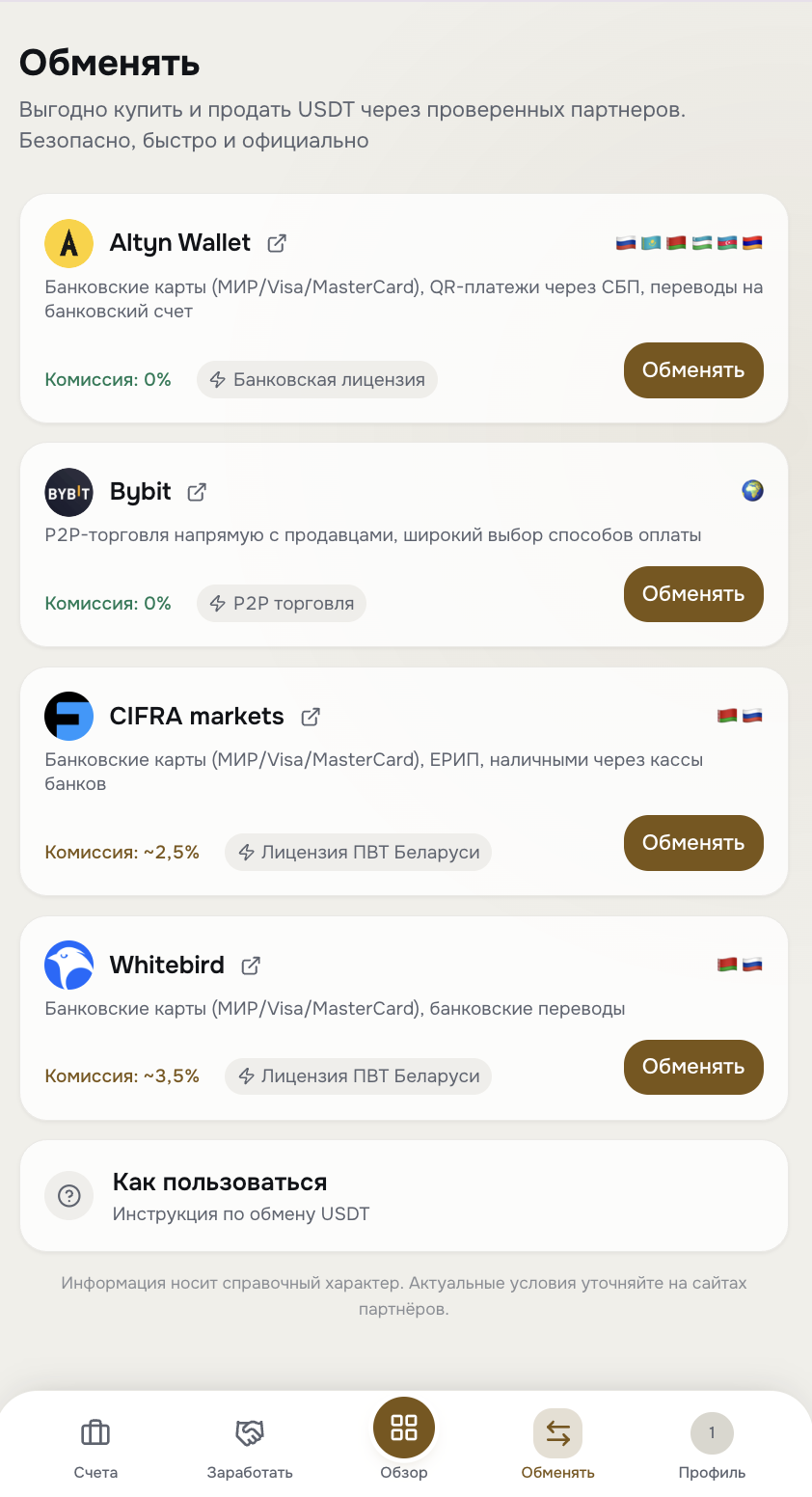
No USDT? Buy it through partners
The "Exchange" section in the app: by bank card or transfer, without logging into an external exchange.
How Grid Pro works
Buys lower. Sells on the rebound.
The price drops — Grid Pro buys at a grid level.
The price rises — it sells that purchase. The cycle repeats automatically.
Buy and sell grid
BuySell
01Price drops
Grid Pro buys on the grid.
02Price rebounds
The purchase is sold higher up.
03The cycle repeats
The algorithm keeps working.
Important:the grid works better on price swings. During a long decline, buys may remain open.
All accounts and trades — in one app
Check your exchange balance, closed trades and activity history in a couple of taps — no complex interfaces, no VPN.
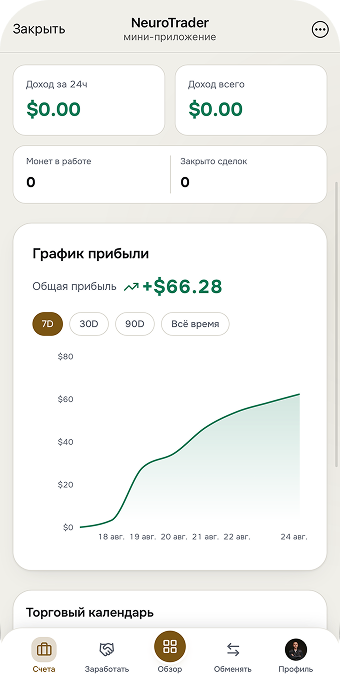
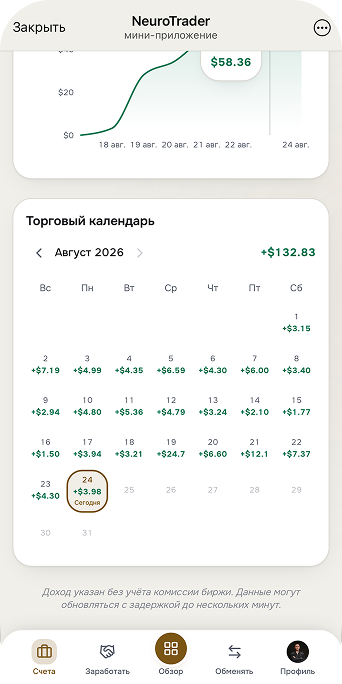
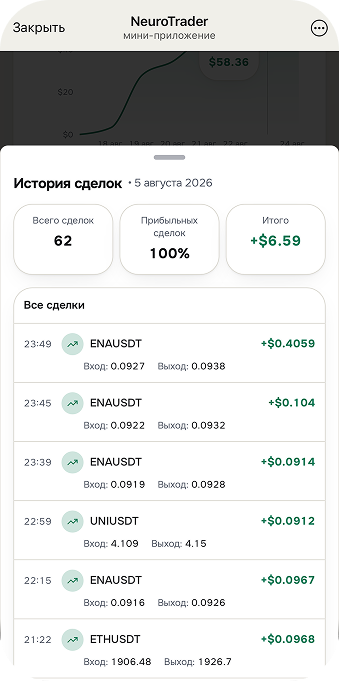
Data in the appSwitch between results, calendar and trade history.
Screen 1Profit chart
Screen 2Trading calendar
Screen 3Trade history
No trading capital handed to the company
Start with a demo account, move to a license when you're ready
The demo account is free and doesn't use real capital. An annual license costs 150 USDT:
NeuroTrader's 20% commission is charged only on actually closed profit, and 15 USDT is credited to the bonus balance for trading commissions right away.
Real exchange account via an API with no withdrawal right
Launch Grid Pro and Futures Duo on real capital without limits
15 USDT is credited to the bonus balance for trading commissions right away
Access to the partner program
One clear launch path
From a demo account to real trading — four steps
The demo account is free and doesn't use your capital. Once Grid Pro's mechanics are clear to you, you decide for yourself
whether to connect a license and a real exchange account.
01
Open a demo account
Free, no real capital. Full app interface: accounts, overview, trade history.
02
Check Grid Pro's mechanics
See how the algorithm opens and closes trades on demo data, with no risk to funds.
03
Connect a license and an exchange
Annual license: 150 USDT. The API is created with no right to withdraw funds.
04
Launch Grid Pro on real capital
You set the coins and order parameters. The 20% commission applies only to actually closed profit.
The decision to move to a license is entirely yours — the demo account doesn't commit you to anything.
Real backtest data
How Grid Pro would have performed on BTC/USDT history, 2024–2026
Price, trades and accumulated closed profit by year on the exchange's historical data, commissions included. Not a scenario — an actual calculation on past data.
pricebuyssellsaccumulated profit
Buys—Sells—Closed profit—Account state—Drawdown—
1 000 USDT
2501 00010 00020 000
2026 — data for a partial period (through end of July). Source: internal NeuroTrader Grid Pro backtest, BTC/USDT pair, exchange commissions included, slippage not included.
Past results do not guarantee or promise future ones.
The partner program — an opportunity, not a condition
One product — two paths: automate your own trading or grow a client network around the service
User
Connect Grid Pro, use the demo and a real account, without inviting people or building a team.
Recommend the product to clients and earn payouts from confirmed licenses and actually paid trading commissions, based on the status difference.
Use the product yourself
Introduce the product to clients
Earn payouts from paid licenses and actually paid trading commissions, based on the status difference
Questions and answers
Get clear before connecting: funds, API, commission, refunds and partner payouts
Where is my money?
Trading capital stays on your own exchange account. NeuroTrader does not accept or store your funds — the app only connects to the exchange via API and places orders.
Can NeuroTrader withdraw funds?
No. The API key is connected with no withdrawal permission — only for trading and viewing the balance and trade history. Only you can withdraw money from the exchange, through the exchange's own interface.
How is Grid Pro different from signals and forecasting?
Grid Pro doesn't predict price movement. It's grid trading: the system places buy and sell orders around the current price and profits from price swings, not from guessing market direction.
What amount can I start with, and is personal profit required for partner statuses?
You can start with a free demo account and no real capital. To open new trades on a real account you need at least 5 USDT on the internal balance. Starting from “Mentor”, a partner status also requires personal trading profit of $25 / $50 / $100 / $250 per month (the larger of the current or previous calendar month). This is a status condition, not a recommended deposit, and it guarantees nothing.
When is the trading commission charged?
NeuroTrader's commission is charged only on actually closed profit, not on the deposit: 20% with a license and a positive bonus balance, 22% with a license and no bonus balance, 25% in free mode without a license. When buying a license, 15 USDT is credited to the bonus balance for trading commissions; commissions are deducted from the bonus balance first and then from the regular one. The bonus balance cannot be withdrawn.
What are the limits of the free mode?
The free mode works without a license and lets you connect a real exchange account; a deposit of roughly up to 1000 USDT is a guideline. The limit applies to profit, not to the deposit: up to $50 of trading profit per calendar month, net of losses. Once it is reached, bots stop opening new trades but keep closing the ones already open. The NeuroTrader commission in free mode is 25% of actually closed profit. An annual license removes the limit; the 15 USDT bonus balance and the partner program are also available with a license. About 1000 USDT is where the $50 limit is usually not reached within a month at the project's reference 40–50% a year, but this is not a promise: the result depends on the market, coins, capital and commissions.
Can I use it without the partner program?
Yes. The product works as a standalone service for automated trading — you don't have to invite people or build a team.
How does the triple bonus work and when do payouts become confirmed?
The first three personally invited clients activated within 10 days after your own activation give you 30 USDT each — up to 90 USDT as a bonus. The bonus is available once and is claimed in your account. The payout is held for the 14-day refund period and is cancelled if the invited client's license is refunded.
How is the status difference calculated?
The payout doesn't come from the team's entire turnover, but from the difference between your percentage and the percentage of the status below you in that specific branch. An equal or higher status in a branch does not create an additional payout.
What happens on a refund or a license renewal?
A refund is possible within 14 calendar days of payment on a written request to support@neuro-trader.pro; refunds are processed manually. A refund cancels the status payout, the triple bonus and the qualification created by that license. Renewing the license for 150 USDT distributes the status fund up to 65% again and credits 15 USDT to the bonus balance for trading commissions again.
What risks remain?
Control over your funds does not remove market, algorithmic, exchange or infrastructure risk. The result can be zero or negative, and exchange commissions are charged regardless of the trades' outcome.
Start by checking, not by promises
First see how Grid Pro works. Decide about a real account afterward
Create a demo account, choose coins and order parameters, and watch the mechanics without using real capital.